OpenPGP, GnuPG and S/MIME Support
The Bat!
The Best Secure Email Client Software. Certified for Windows 10
The Bat! is a secure desktop email client for Windows, built to protect your correspondence against third-parties.
The Bat! protects your information through multiple encryption streams, with the option to keep all information encrypted on your disk, and to protect emails during communication using end-to-end encryption (E2EE). The Bat! can work without global email providers that keep your messages in the cloud, where they can be stolen. The Bat! keeps your emails on your computer to make them private. The Bat! blocks malicious code and tracking pixels that spread via email. This is a way to protect from email hacking.
The Bat! email program is able to process and store an unlimited number of messages and has no restriction on the number of email accounts accessible via IMAP, POP, MAPI protocols. The Bat! is a perfect multiple email account manager - allows you to quickly access all your email accounts in one place. The Bat! is a safe, robust and reliable mail application. It handles very large message bases quickly and with small memory footprint.
The MailTicker™ is, without doubt, one of the most powerful features of The Bat!. The MailTicker™ adds a visual indicator to your desktop similar to those stock exchange banners you may know from certain TV news channels. It shows unread messages, as defined by a set of simple options you can choose from.
This makes The Bat! the best mail app for Windows.
Key Features
Powerful Filtering System
Chromium-based HTML viewer
Configurable Image RetrievalThe Bat!'s own Address Book
Safe Handling of Attached Files
Handy Templates
Selective Message Download
RSS Feed Subscriptions
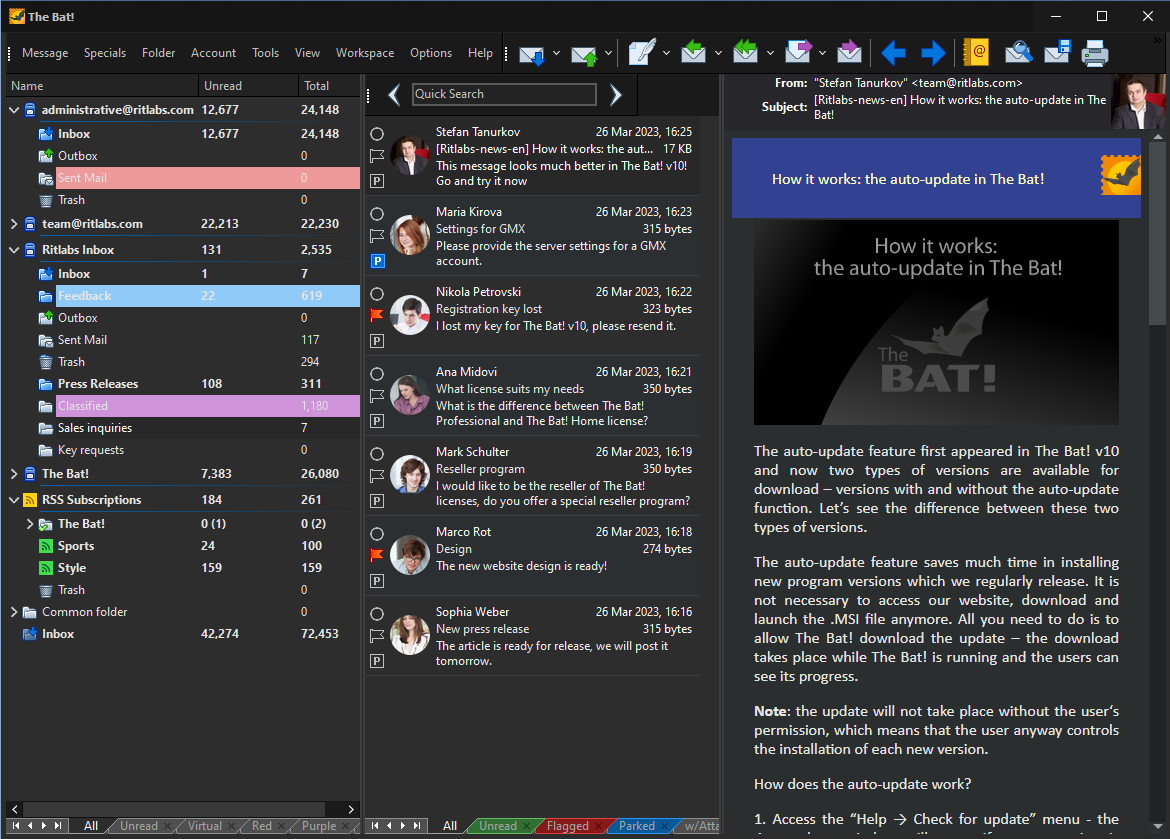
Manage your Mail
Tweak the main window to fit your needs. Customize the account and folder tree, the message list, the toolbar and more. Check, consolidate, manage multiple IMAP4, POP3, RSS and MAPI accounts - all your email in one place.

Message Editor Window
Compose and customize your messages, add smiles and stay connected in different languages with support for national codepages.

Sorting Office
Manage your mail quickly and efficiently; customizable filters ensure your mail is automatically organized just how you like it. The powerful Sorting office along with other features makes The Bat! the best email application for Windows.

Address Book
The Address Book gives you an easy way to manage your contacts. Upload your existing contacts to, or download from Google, Outlook and more, or just fill in personal and business information. Add photos and customize messages for each contact.
At Work or at Home
The Bat! mailer is available in two editions - Professional and Home. Get The Bat! Voyager for free when you purchase The Bat! Professional.
THE BAT!
Professional Edition
Commercial and non-commercial uses
The Bat Voyager for free!
-
Message base encryption
-
Biometric authentication
-
Hardware authentication with mail servers
30-day trial
PurchaseTHE BAT!
Home Edition
Non-commercial uses only
-
-
-
-
-
-
-