Autocrypt Easy End-to-End Encryption in The Bat! v12.3
OpenPGP has been around for decades, yet encrypted email remains too complicated for many users. Creating key pairs, exchanging public keys, importing them into a mail client, and managing encryption settings often require extra knowledge and can discourage people from using encrypted email communication.
With The Bat! v12.3, we are taking an important step toward making email encryption more accessible by introducing support for Autocrypt, an open standard designed to simplify end-to-end email encryption.
Autocrypt automates the discovery and management of public keys between correspondents. The Bat! can automatically detect and store public keys received from other Autocrypt-enabled users and provide notifications when a message can be sent encrypted. As a result, users can benefit from OpenPGP encryption without having to deal with many of the technical details traditionally associated with key management.
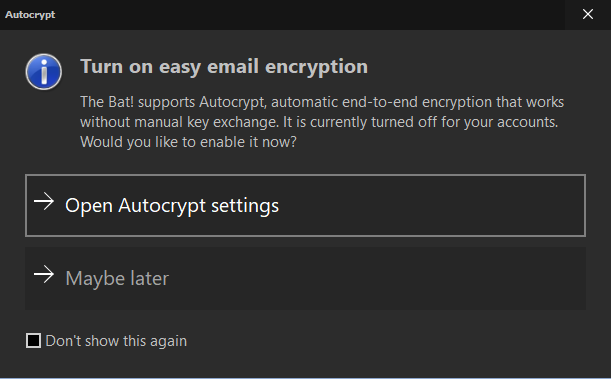
Autocrypt is available both for internal implementation of OpenPGP and for GnuPG. After upgrading to the new version, users will be prompted to review their settings and enable Autocrypt support:
Autocrypt settings can be configured separately for each mail account under “Account → Properties → Autocrypt”:
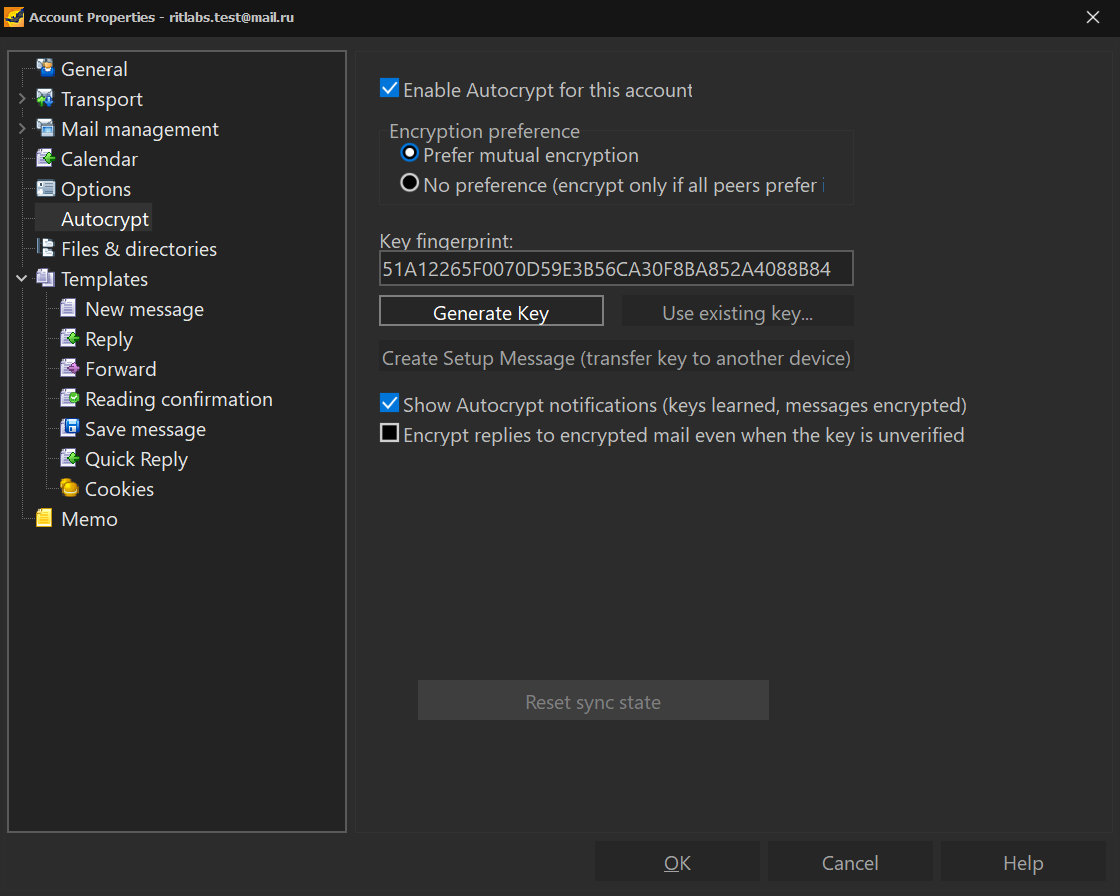
Users can generate a new key pair using the Generate Key button in the same menu. Once your own key pair is available and your correspondent's public key has been received, encrypted communication can take place seamlessly between both parties.
When a message containing Autocrypt information is received, The Bat! automatically detects and stores the sender's public key and notifies the user accordingly:
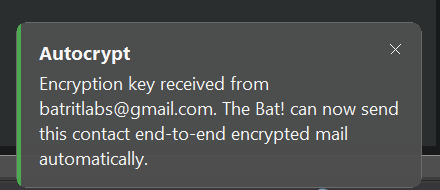
Once the sender's public key has been stored, The Bat! can automatically encrypt replies to that correspondent. The user's own public key is also included in outgoing messages, allowing encrypted communication to be established in both directions.
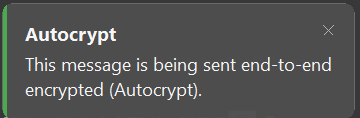
Note: Automatic encryption is applied to replies only. To enable encryption for new messages as well, user should add the %ENCRYPTCOMPLETE macro to the contact’s template for new messages.
Tip: to decrypt and view encrypted sent messages, enable the “Always encrypt to default key” option under “Options → OpenPGP → OpenPGP Preferences”.
Note: OpenPGP functionality must be enabled under "Account → Properties → Options" by selecting the "Enable OpenPGP" option.
In addition to Autocrypt support, The Bat! now supports PDF signatures. Right-click any PDF attachment while viewing an email to verify its digital signature, sign it and save the signed copy, or sign it and send it back in a reply—all directly from the context menu.
The Bat! v12.3 introduces several improvements to IMAP functionality. Support for modern IMAP extensions allows the client to monitor mailbox changes more efficiently and perform certain operations directly on the server, improving both performance and the user experience when working with large mailboxes.
The release also brings several accessibility improvements, making The Bat! easier to use with screen readers. In addition, users will find enhanced message viewing capabilities such as Markdown attachment rendering, along with numerous fixes related to OpenPGP, CalDAV, and other components throughout the application.
For more information about The Bat! v12.3 and its changes, refer to the entire list of changes.
We continue to develop The Bat! for users who value security, reliability, and full control over their email communications. With Autocrypt, secure email becomes easier to use while preserving the benefits of open cryptographic standards.
Download The Bat! v12.3
With The Bat! v12.3, we are taking an important step toward making email encryption more accessible by introducing support for Autocrypt, an open standard designed to simplify end-to-end email encryption.
Autocrypt automates the discovery and management of public keys between correspondents. The Bat! can automatically detect and store public keys received from other Autocrypt-enabled users and provide notifications when a message can be sent encrypted. As a result, users can benefit from OpenPGP encryption without having to deal with many of the technical details traditionally associated with key management.
Autocrypt is available both for internal implementation of OpenPGP and for GnuPG. After upgrading to the new version, users will be prompted to review their settings and enable Autocrypt support:
Autocrypt settings can be configured separately for each mail account under “Account → Properties → Autocrypt”:
Users can generate a new key pair using the Generate Key button in the same menu. Once your own key pair is available and your correspondent's public key has been received, encrypted communication can take place seamlessly between both parties.
When a message containing Autocrypt information is received, The Bat! automatically detects and stores the sender's public key and notifies the user accordingly:
Once the sender's public key has been stored, The Bat! can automatically encrypt replies to that correspondent. The user's own public key is also included in outgoing messages, allowing encrypted communication to be established in both directions.
Note: Automatic encryption is applied to replies only. To enable encryption for new messages as well, user should add the %ENCRYPTCOMPLETE macro to the contact’s template for new messages.
Tip: to decrypt and view encrypted sent messages, enable the “Always encrypt to default key” option under “Options → OpenPGP → OpenPGP Preferences”.
Note: OpenPGP functionality must be enabled under "Account → Properties → Options" by selecting the "Enable OpenPGP" option.
In addition to Autocrypt support, The Bat! now supports PDF signatures. Right-click any PDF attachment while viewing an email to verify its digital signature, sign it and save the signed copy, or sign it and send it back in a reply—all directly from the context menu.
The Bat! v12.3 introduces several improvements to IMAP functionality. Support for modern IMAP extensions allows the client to monitor mailbox changes more efficiently and perform certain operations directly on the server, improving both performance and the user experience when working with large mailboxes.
The release also brings several accessibility improvements, making The Bat! easier to use with screen readers. In addition, users will find enhanced message viewing capabilities such as Markdown attachment rendering, along with numerous fixes related to OpenPGP, CalDAV, and other components throughout the application.
For more information about The Bat! v12.3 and its changes, refer to the entire list of changes.
We continue to develop The Bat! for users who value security, reliability, and full control over their email communications. With Autocrypt, secure email becomes easier to use while preserving the benefits of open cryptographic standards.
Download The Bat! v12.3